For construction, joinery, PVC and aluminium, metalwork, maintenance and transport

Every job, from the first call to the handover.

Za Firme keeps your projects, crews and clients in one place, so the office knows what the workshop is doing and the workshop knows what comes next.

No card needed. Set up in two minutes.

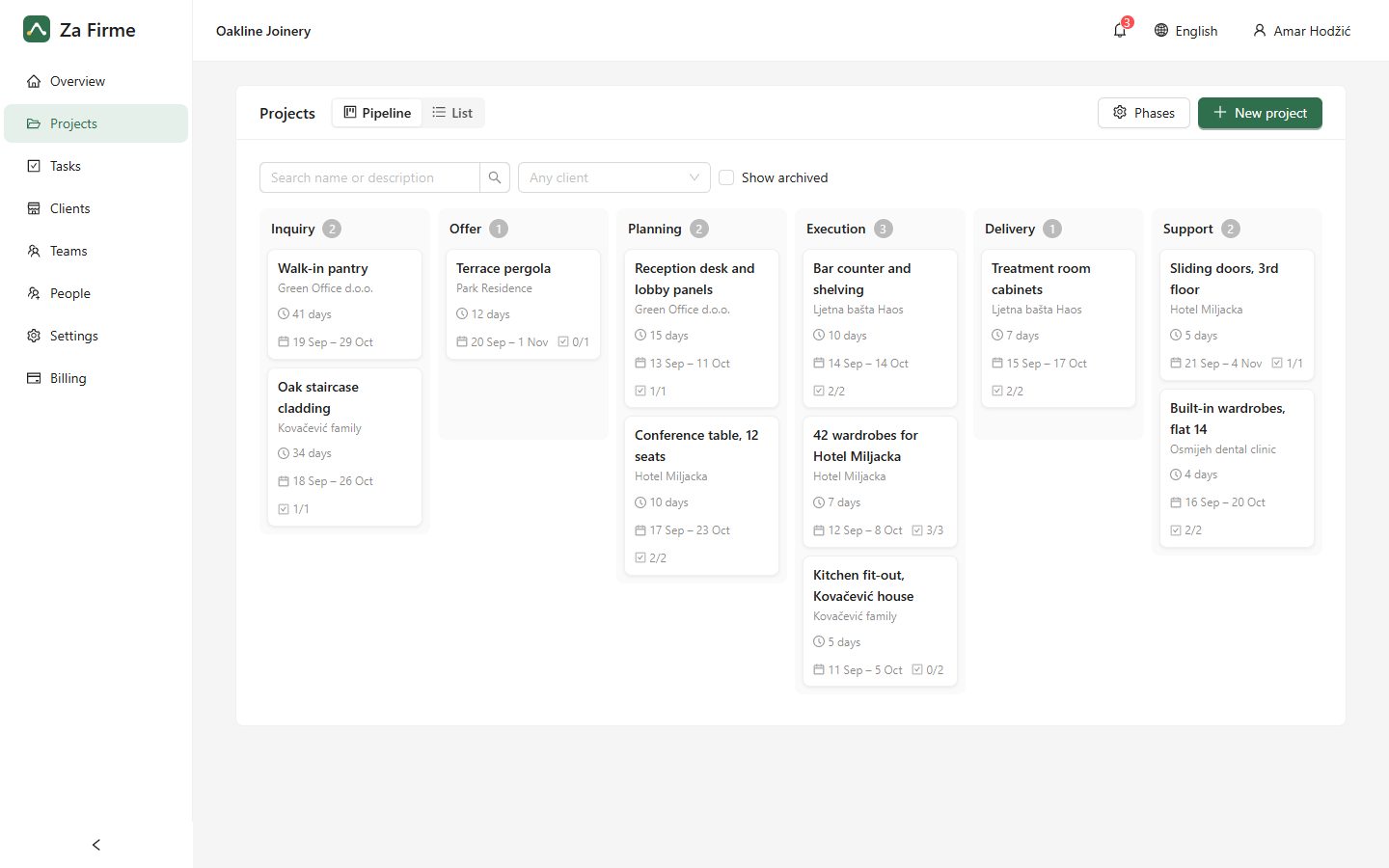
The Za Firme project pipeline, with projects in each phase

Everything a busy workshop needs, nothing it doesn’t

Projects

Every project moves through your phases

Inquiry, offer, planning, execution, delivery, support, or the steps your company actually uses. See at a glance what is waiting where, and for how long.

  • Rename, reorder and add your own phases
  • A note with every move, like “offer accepted by phone”
  • Complete history of when each project moved
Projects arranged in columns by phase

Tasks

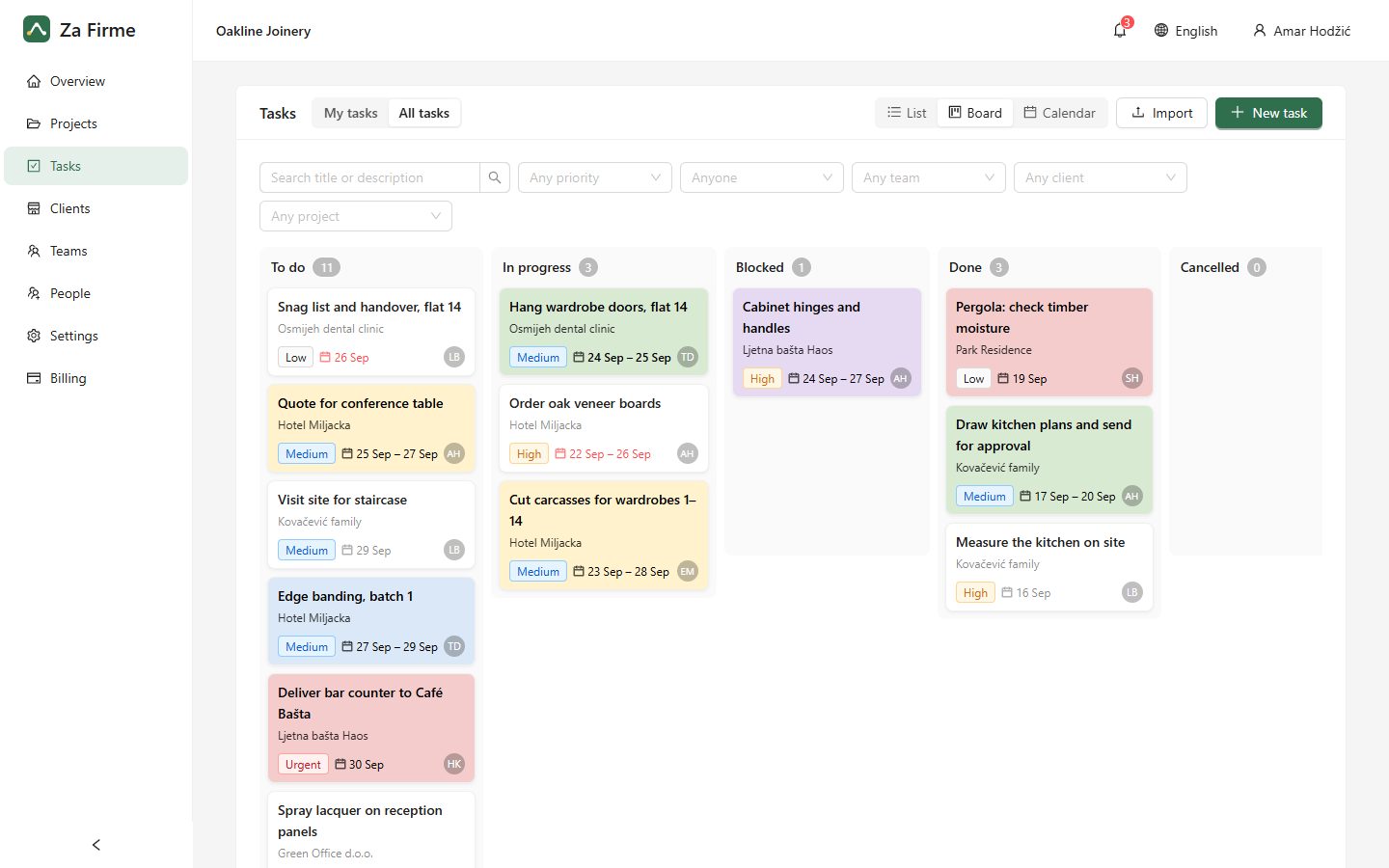
A task board your crews will actually use

Assign work, set priorities and move cards from To do to Done. Everyone sees their own list; managers see the whole picture.

  • Drag and drop, from a desk or a phone
  • “My tasks” for everyone in the field
  • Colours, priorities and due dates at a glance
A task board with columns for each status

Planning

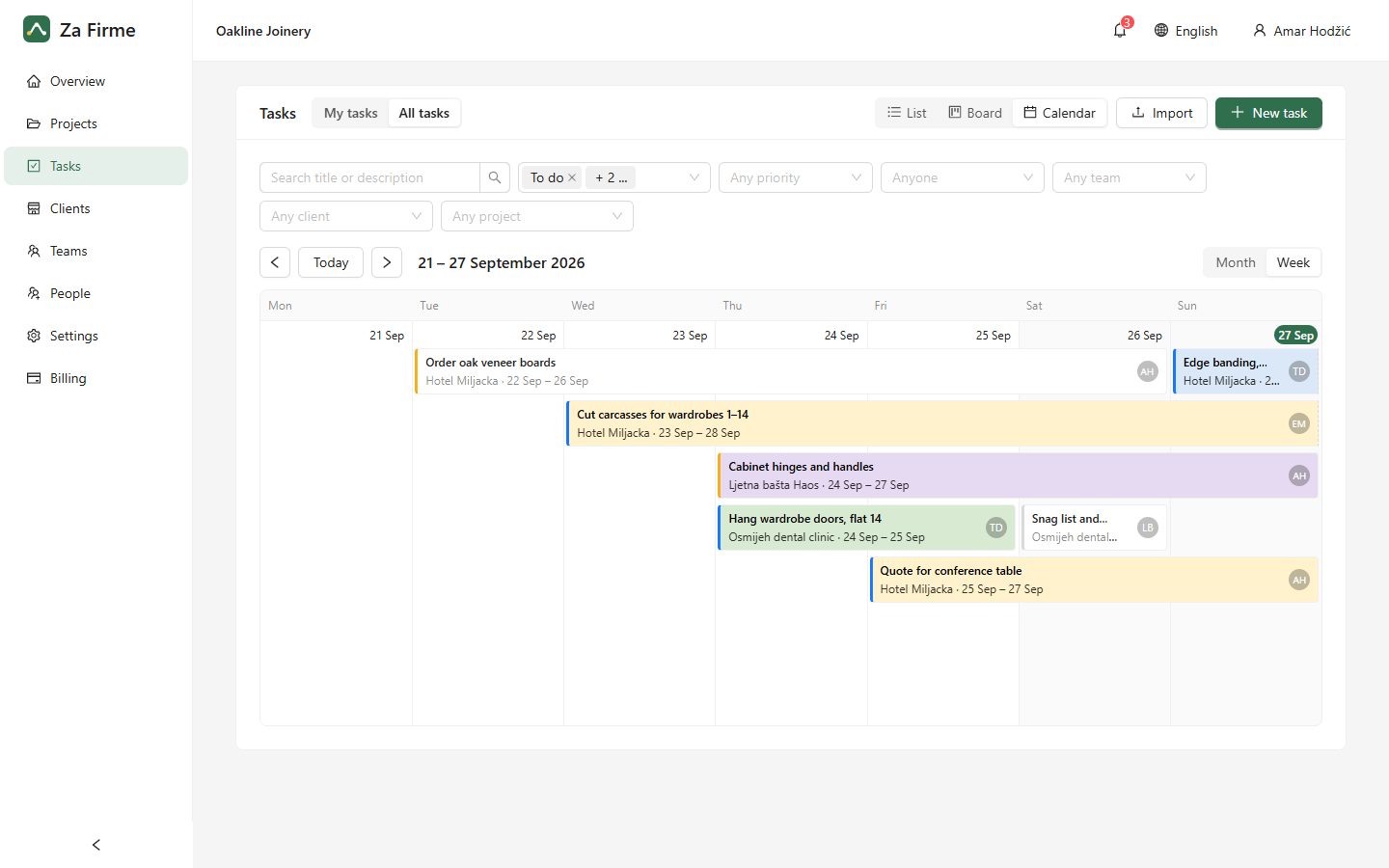
Plan the weeks ahead on a calendar

Every task shows as a bar from its first day to its due date, so you can see who is busy and when. Drag a bar to reschedule the job.

  • Month and week views
  • Tasks spanning several days, drawn as bars
  • Filter by crew, client or project
A calendar with tasks drawn as bars across days

Clients and teams

The whole story of every job in one place

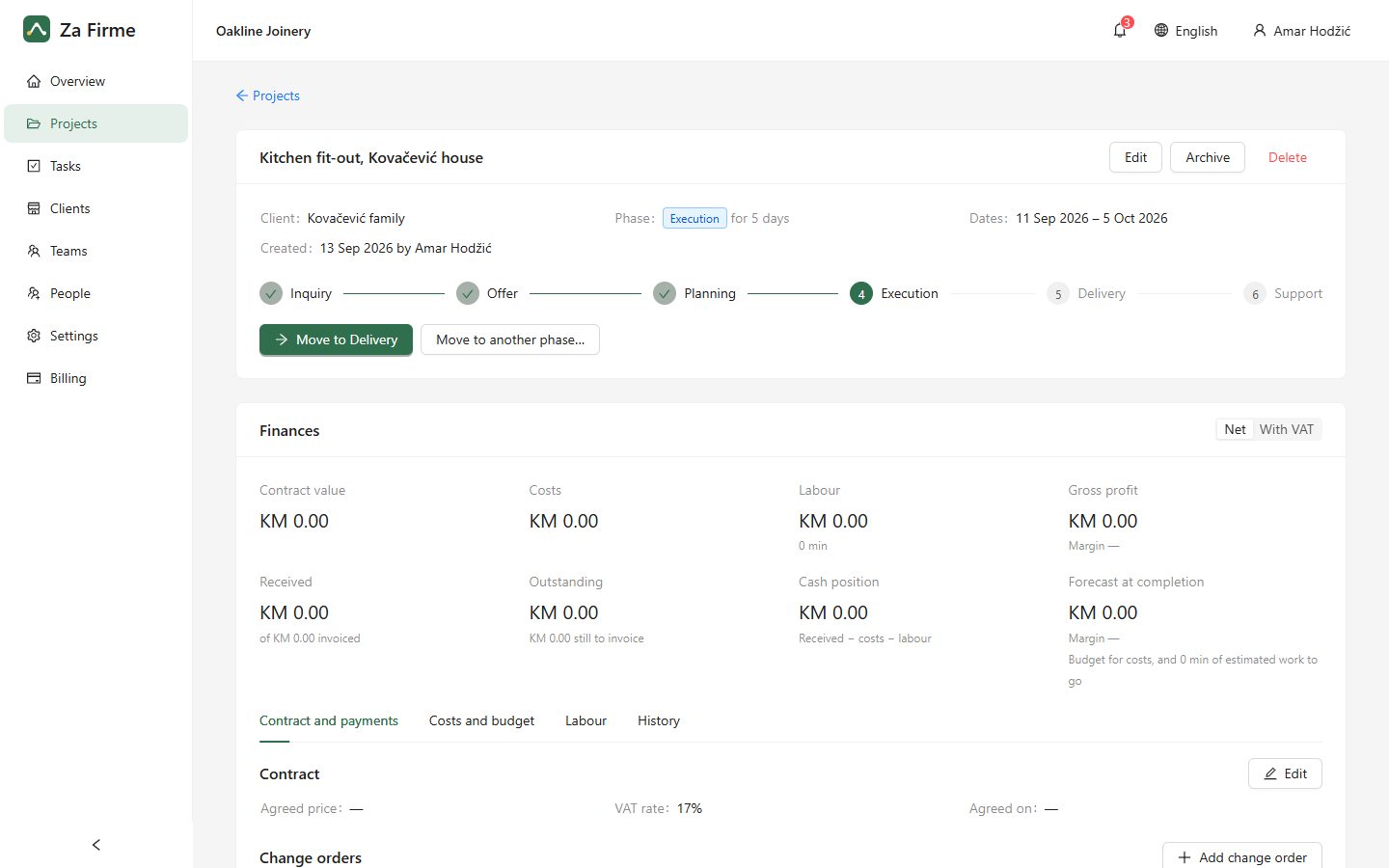
Each project keeps its client, its dates, its tasks and every move through the pipeline. Group people into crews and invite them by email.

  • Client details next to the work
  • Crews and roles: owner, manager, member
  • Invitations by email, nothing to install
A project page with its phase history and tasks

English and Bosnian

Everyone picks their own language.

Your data stays yours

Every company’s data is kept strictly apart.

Nothing gets lost

Changes to tasks and projects are recorded.

Works in the browser

On the office PC, a laptop or a phone.

Install it on your phone and computer

Za Firme works in any browser. Installed, it opens from your home screen like an app and sends notifications, with nothing to download from a store.

Android

  1. Open zafirme.com in Chrome
  2. Tap the ⋮ menu, then “Install app” (or “Add to Home screen”)
  3. Open Za Firme from your home screen and allow notifications

iPhone and iPad

  1. Open zafirme.com in Safari
  2. Tap Share, then “Add to Home Screen”
  3. Open Za Firme from your home screen and allow notifications

Computer

  1. Open zafirme.com in Chrome or Edge
  2. Click the install icon at the right of the address bar
  3. Za Firme opens in its own window, like any program

Signed in, you also find “Install app” in the menu under your name.

Simple pricing

One price for your whole company. Invite as many people as you need.

Free trial

14 days

Try everything with your own team. No card needed.

Start free trial

Monthly

Ask us

  • Unlimited people
  • Projects, tasks, board and calendar
  • Teams, clients and invitations
  • English and Bosnian

For now we agree the price and the payment with you directly: write or call us. Paying online by card is coming soon, and with local cards (Monri, Payten) after that.

Frequently asked questions

What is Za Firme?

An app for running the work of a trades company: projects that move through your own phases, tasks for the crews, clients, files and photos, comments, and the project finances, all in one place for the office and the field.

Who is it for?

Companies of about ten people and more in construction, furniture, PVC and aluminium, metal, maintenance and transport. The owner sees everything, managers run projects and crews, and each member sees their own work.

Do I have to install anything?

No. It works in the browser on any phone or computer. Installing it (see “Install” above) adds an icon to your home screen and lets it send notifications even when it is closed.

How do I bring in my team?

Under People, invite each person by email and choose their role: owner, manager or member. They get an email with a link, set a password and are in. You can also import clients and tasks from a spreadsheet.

How does everyone know what is new?

People get a notification in the app, on their phone and by email when a task is assigned to them, when someone mentions them in a comment, and the day before a deadline. The installed app tells them at once; email gathers what is new into one message at most once an hour. Each person chooses which ones they want.

Where is our data, and is it safe?

On servers in the European Union (Finland), over an encrypted connection. The database is copied every hour to another country (Germany), and each company sees only its own data.

Can we try it first?

Yes: 14 days free with every feature, and no card needed to start.

How do we pay?

Monthly or yearly, for the whole company. For now we agree the price and the payment with you directly: write to info@zafirme.com or call us. Paying online by card is coming soon, and with local cards (Monri, Payten) after that.

What happens when the trial or subscription ends?

Nothing is deleted. The company becomes read-only: everyone can still see everything, and changes are possible again as soon as you renew.

Which languages?

Bosnian and English. Each person picks their own, and the emails they get come in that language.
Questions? Get in touch

For a demo, help getting started, or anything else: write or call, and we answer within a working day.

Ready to get your jobs in order?

Start today with your own projects. If it isn’t for you, simply let the trial run out.

Start your 14-day free trial