Transport
Every trip planned, every document in its place.
From the enquiry to the delivered documents: trips, drivers and paperwork in one place, instead of in the dispatcher’s head.
No card needed. Set up in two minutes.Sign-up is by invitation. Already have an account? Sign in
Sounds familiar?
Trips, drivers and vehicles are arranged by phone, and the plan exists only in the dispatcher’s head
Transport documents (CMRs, delivery notes) are searched for in emails
Clients call to ask where their goods are
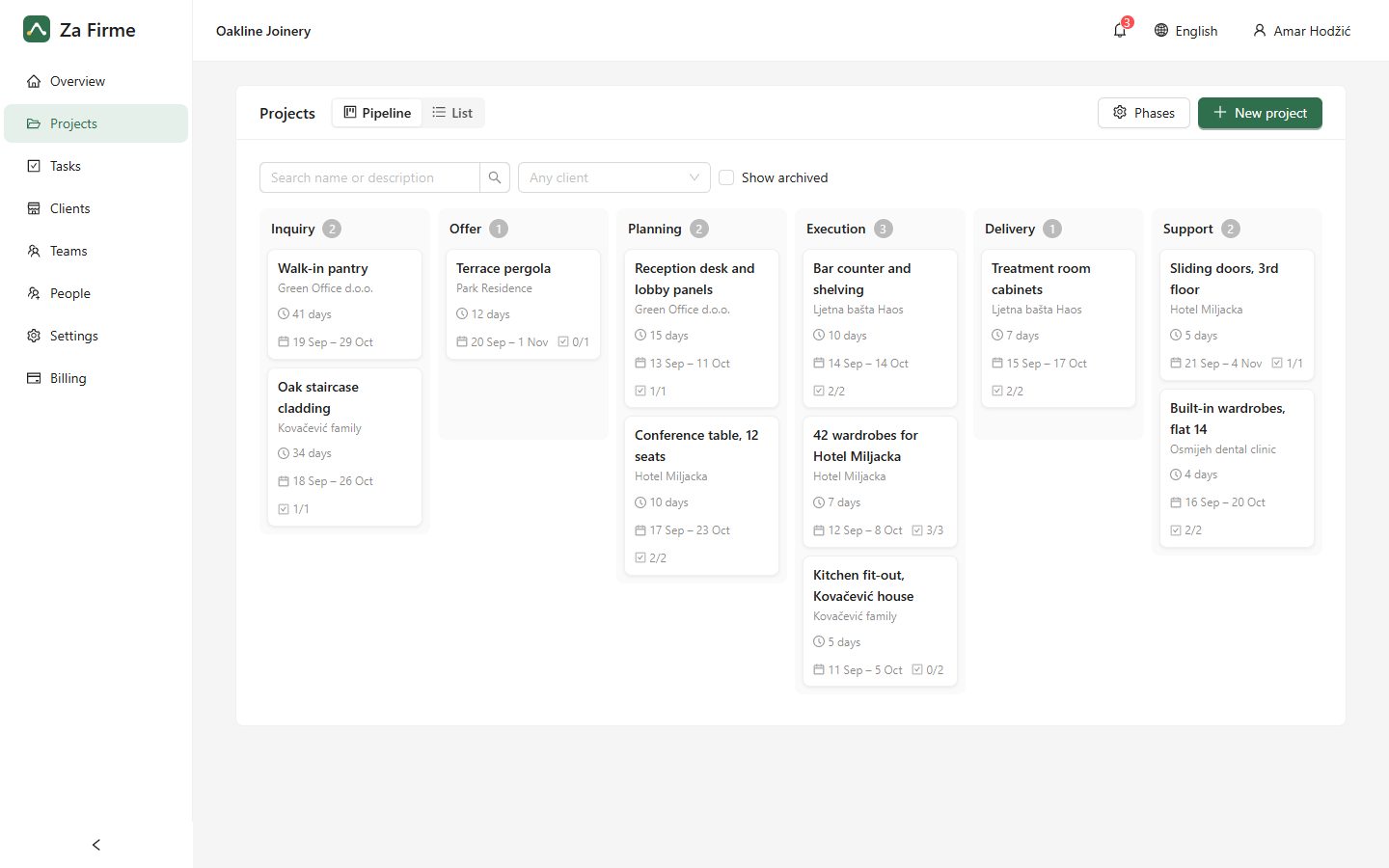
A pipeline for your jobs
- Enquiry
- Offer
- Confirmed
- Loading
- On the road
- Unloading
- Documents handed over
An example to start from: rename the phases, reorder them and add your own in the settings.
How Za Firme helps
Every trip through your phases
A trip is a project or a task with its client, dates and route. At a glance you see what is loading, on the road or waiting for documents.
Who drives when
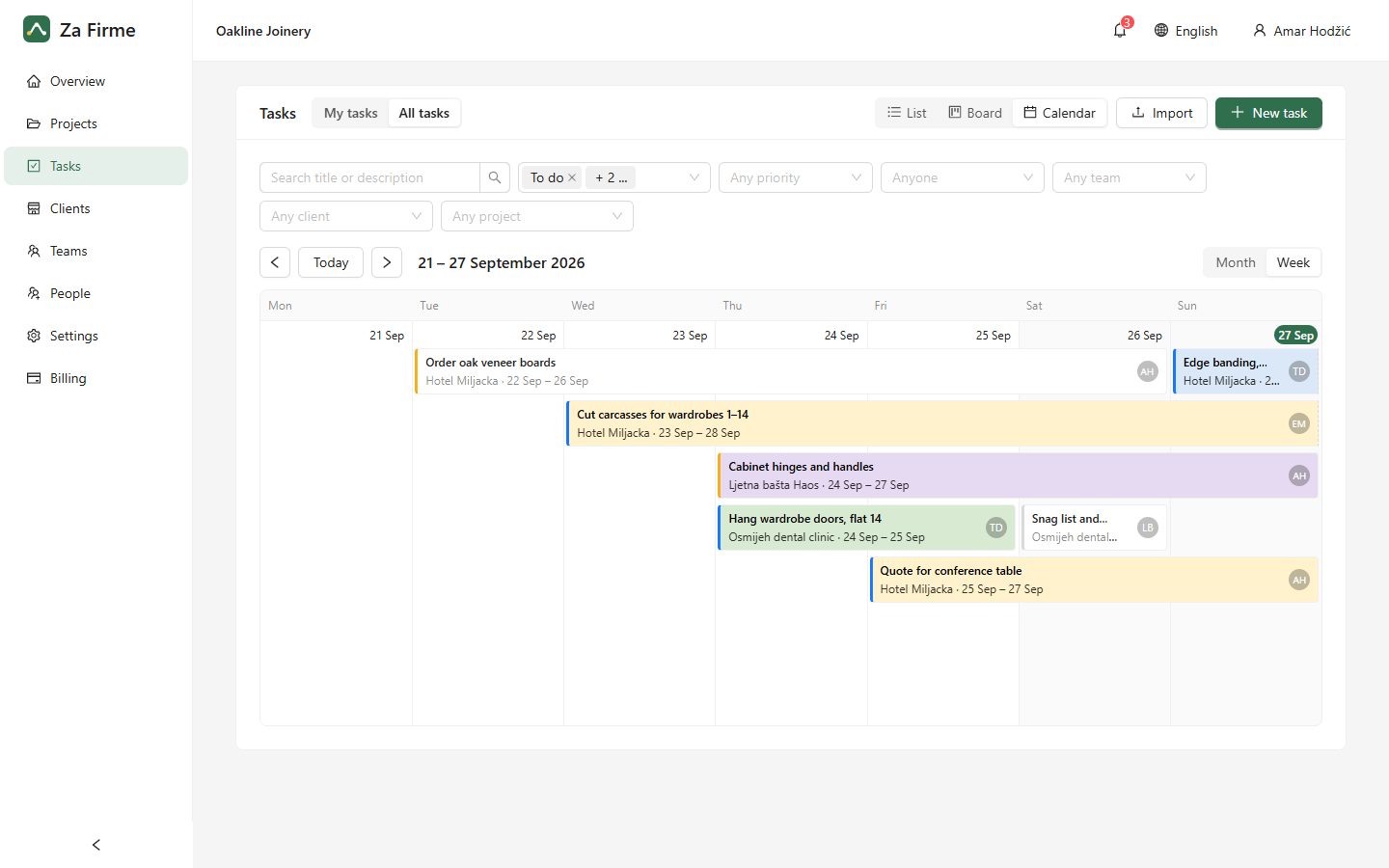
The calendar shows each trip as a bar across its days, per driver or crew, so a free truck and driver are easy to find.
Documents with the trip
CMRs, delivery notes and photos of the load are attached to the trip, from the office or the driver’s phone.
Updates from the road
The driver writes a comment from the phone (“unloaded, the customer signed”) and the office knows without a call.
Planning
Plan the weeks ahead on a calendar
Every task shows as a bar from its first day to its due date, so you can see who is busy and when. Drag a bar to reschedule the job.
Ready to get your jobs in order?
Start today with your own projects. If it isn’t for you, simply let the trial run out.
Start your 14-day free trial