Metalwork
Work orders that don’t get lost on the shop floor.
Railings, gates, structures and parts: every order with its drawing, deadline and priority, from cutting to delivery.
No card needed. Set up in two minutes.Sign-up is by invitation. Already have an account? Sign in
Sounds familiar?
Paper work orders go missing somewhere between cutting, welding and painting
A customer asks when the railing will be ready, and the answer takes a walk around the hall
Urgent jobs jump the queue, and the rest run late without anyone noticing
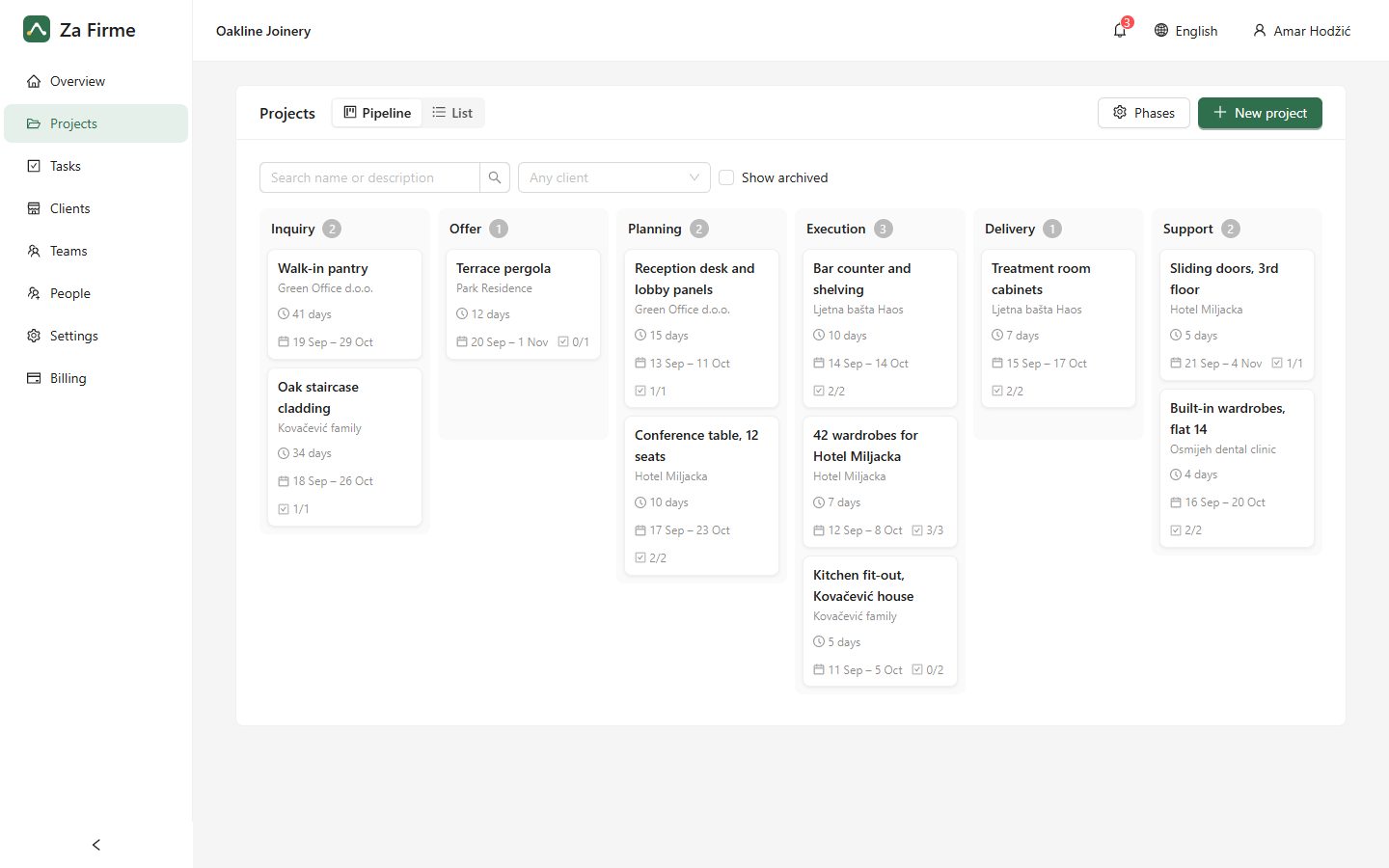
A pipeline for your jobs
- Enquiry
- Drawing and offer
- Order confirmed
- Cutting
- Welding
- Surface protection
- Delivery and fitting
An example to start from: rename the phases, reorder them and add your own in the settings.
How Za Firme helps
The work order is a task
With the drawing attached, a priority and a deadline. Whoever works on it sees it on their phone; the office sees how far it got.
The whole hall on one board
Move orders from To do to Done as they go. Everyone sees what is waiting, what is in progress and what is finished.
Deadlines that are not missed
A reminder goes out the day before a deadline, and the overview lists every late task, so nothing slips quietly.
Hours and materials per order
Record the hours with hourly rates, the steel and the paint, and see whether each order paid off.
Planning
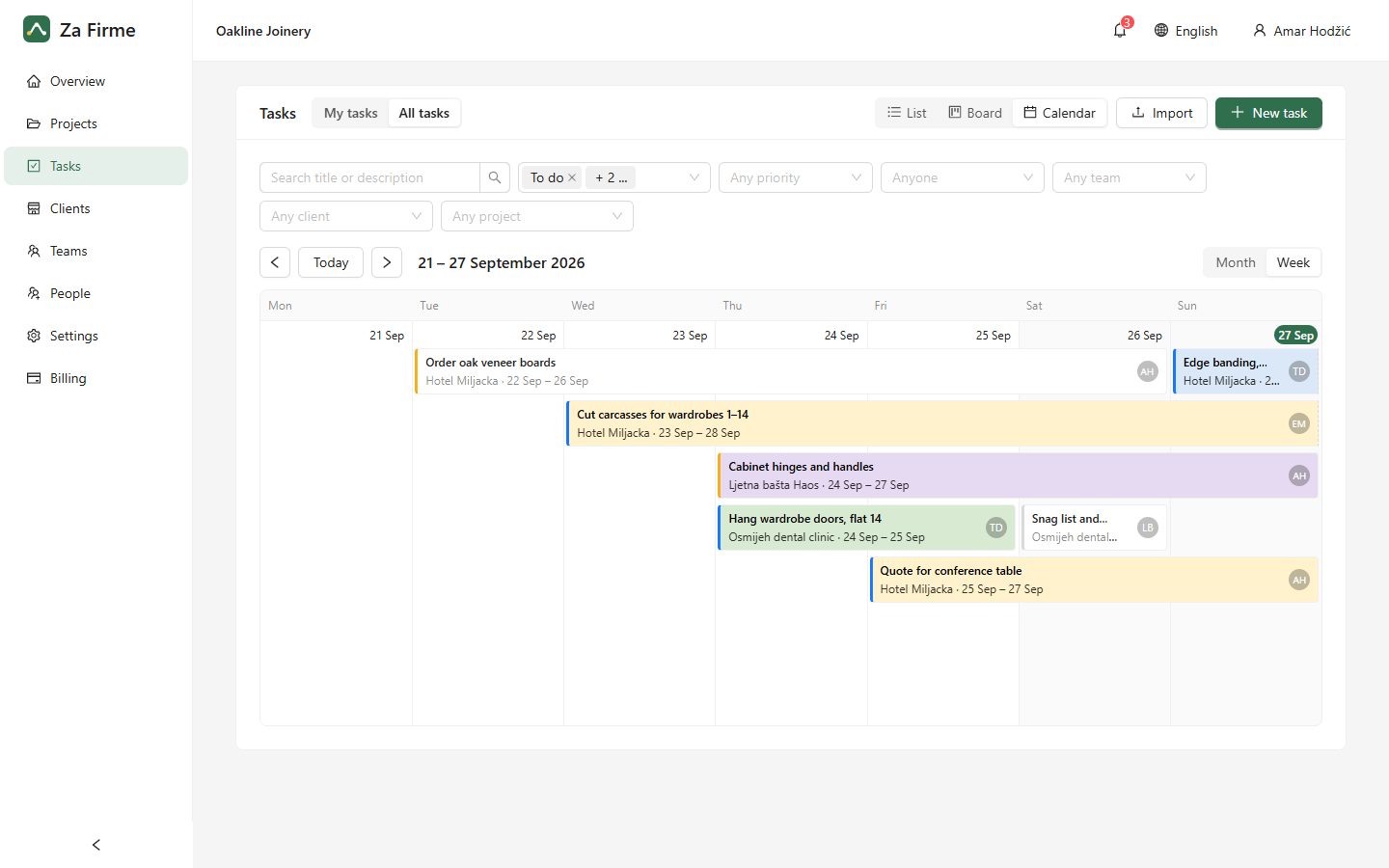
Plan the weeks ahead on a calendar
Every task shows as a bar from its first day to its due date, so you can see who is busy and when. Drag a bar to reschedule the job.
Ready to get your jobs in order?
Start today with your own projects. If it isn’t for you, simply let the trial run out.
Start your 14-day free trial